Real-World Duct UI: A Multi-Language Personal Website
See how Duct UI powers a production bilingual website with advanced pagination, custom markdown processing, and elegant navigation patterns. A comprehensive example showcasing real-world implementation.
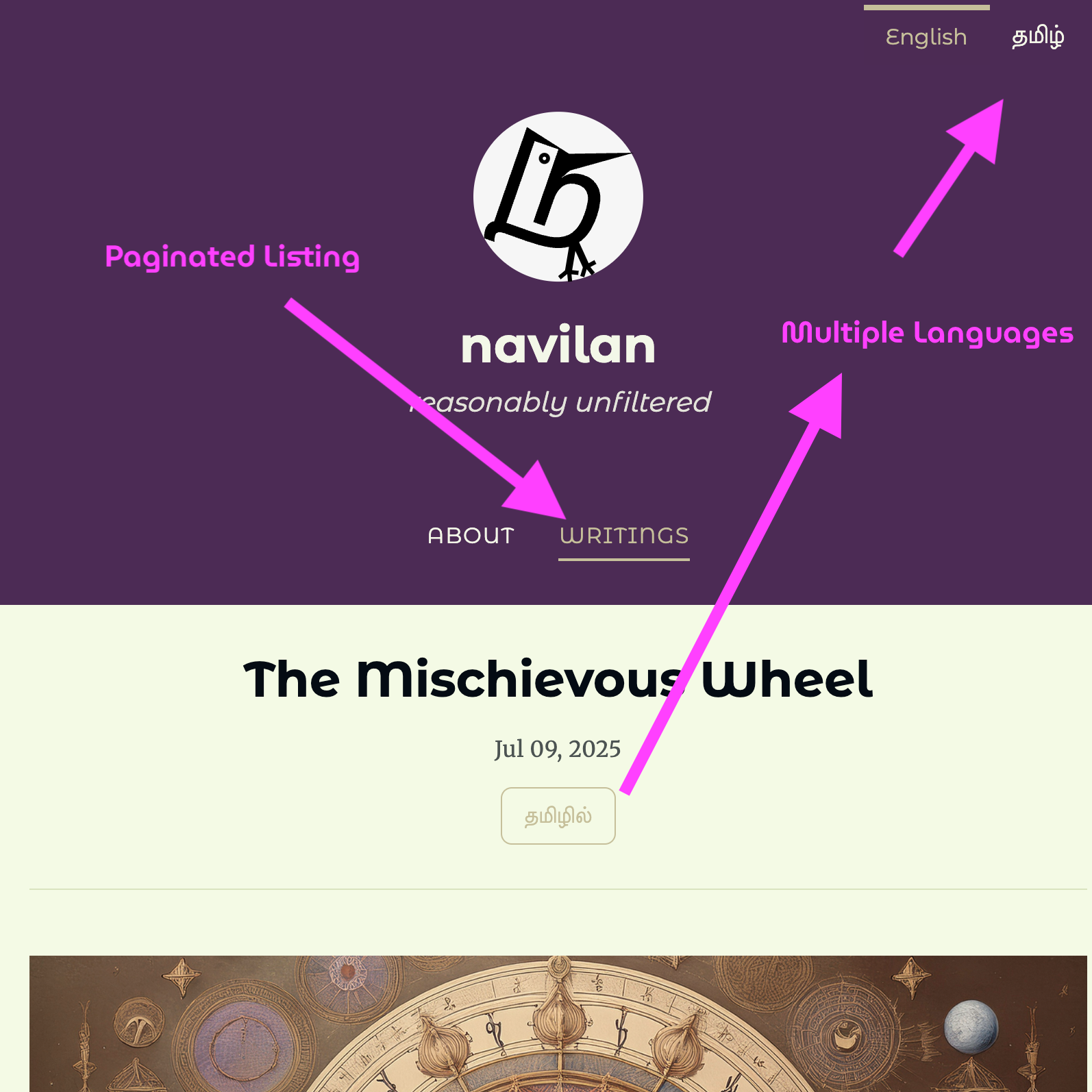
🌐 Live Example: navilan.in 🔗
Website: https://navilan.in/ Source Code: https://github.com/navilan/navilan.in
This personal website demonstrates Duct UI’s capabilities in production, featuring bilingual content (English/Tamil), a comprehensive blog with dozens of posts across multiple pages, and sophisticated content management.
✨ Key Features Demonstrated 🔗
1. Bilingual Content Management 🔗
The website seamlessly handles content in both English and Tamil with intelligent language switching.
Implementation Highlights:
- Language-aware routing (
/en/writingsand/ta/writings) - Automatic language detection from file paths
- Localized navigation and site metadata
- Language toggle in the UI
See it live: Toggle between English and Tamil versions
Source code reference: The language configuration in duct.config.js handles localization seamlessly, detecting language from file paths and providing localized metadata.
2. Advanced Pagination System 🔗
The blog features a robust pagination system handling dozens of posts across multiple pages.
Features:
- Multiple posts per page with clean pagination
- Previous/Next navigation
- Direct page number links
- Clean URL structure (
/en/writings/page/2) - Maintains language context in pagination
See it in action:
The pagination system dynamically generates routes based on the actual content volume, ensuring optimal page distribution.
3. Enhanced Markdown Processing 🔗
The site uses a sophisticated markdown parser with multiple plugins for rich content.
Markdown Features:
- Syntax highlighting with Prism.js for multiple languages
- Task lists with interactive checkboxes
- Footnotes for academic-style references
- Custom containers for special content blocks
- Auto-linking headers with anchor generation
- External link handling with security attributes
Source code: markdown-parser.js
The markdown parser is configured with these plugins:
markdown-it-prismfor syntax highlightingmarkdown-it-attrsfor attribute supportmarkdown-it-anchorfor header permalinksmarkdown-it-containerfor custom containersmarkdown-it-footnotefor footnotesmarkdown-it-task-listsfor interactive checklists
4. Custom Nunjucks Filters 🔗
The template system includes custom filters for enhanced content processing.
Available Filters:
- Date formatting with locale support
- Language URL generation
- Path manipulation (relative to absolute)
- Language detection from paths
- Math operations (min function)
Check the actual implementation in duct.config.js to see how these filters enhance template processing.
5. Clean Navigation Structure 🔗
Simple yet effective navigation that adapts to language context.
Navigation Features:
- Language toggle (English ⟷ Tamil)
- Contextual navigation based on current language
- Social media links integration
- Responsive mobile-friendly design
See the navigation: Visit the homepage and explore the language switching
📁 Project Structure 🔗
navilan.in/
├── content/              # Markdown content with images
│   ├── en/              # English content
│   └── ta/              # Tamil content
├── public/              # Shared static assets
├── src/
│   ├── layouts/         # Nunjucks templates
│   ├── pages/           # Route components
│   ├── styles/          # CSS files
│   └── markdown-parser.js
├── duct.config.js       # Main configuration
├── vite.config.ts       # Build configuration
└── tailwind.config.js   # Styling configuration
Asset Management:
- Post images are stored alongside content files for easy management
- Duct automatically copies them to the distribution directory during build
- The
public/directory is reserved for shared common assets
🎯 Content Organization 🔗
The site manages dozens of blog posts with:
- Chronological ordering
- Thumbnail images for each post
- Clean URLs with slugs
- Bilingual post support
- Publication dates
Content and associated images are co-located for maintainability, with Duct handling the build-time asset pipeline automatically.
🛠️ Technical Stack 🔗
- Framework: Duct UI with SSG
- Build Tool: Vite
- Styling: Tailwind CSS
- Templates: Nunjucks
- Markdown: markdown-it with plugins
- Languages: TypeScript, JavaScript
- Package Manager: pnpm
🚀 Running Locally 🔗
To explore this example locally:
# Clone the repository
git clone https://github.com/navilan/navilan.in.git
cd navilan.in

# Install dependencies
pnpm install

# Start development server
pnpm dev

# Build for production
pnpm build
💡 Key Takeaways 🔗
This real-world example demonstrates:
- Multi-language Support: Full bilingual implementation with clean URL structure
- Scalable Pagination: Elegantly handles multiple pages of content
- Rich Content Processing: Advanced markdown with multiple plugins
- Custom Filters: Extending Nunjucks for specific needs
- Smart Asset Management: Co-located content and images with automatic build processing
- Production Ready: Clean, maintainable code running in production
🔍 Code Examples to Study 🔗
Dynamic Language Routing 🔗
Check how the site handles language-specific routes in duct.config.js - look for the actual implementation of language detection and URL generation.
Markdown Enhancement 🔗
See the complete markdown parser setup in markdown-parser.js with all plugin configurations.
Template Filters 🔗
Explore the actual custom Nunjucks filters in the config file - each filter is implemented to solve specific template processing needs.
Content Structure 🔗
Browse the content/ directory to see how bilingual content is organized with co-located images.
🎉 A Living Example 🔗
This website proves that Duct UI can power real-world, content-rich websites with advanced features. The combination of static site generation, dynamic routing, and thoughtful content organization creates a fast, maintainable, and user-friendly experience.
Visit navilan.in to experience these features firsthand, and explore the source code to learn from the implementation patterns.
🤝 Share Your Duct UI Project! 🔗
Have you built something with Duct UI? We’d love to see it!
Join the conversation: Share your projects, ask questions, and connect with the Duct UI community in our GitHub Discussions.
Your examples inspire others and help grow the ecosystem. Whether it’s a personal blog, business website, or innovative application, your contribution matters to the community.
Start a discussion about your Duct UI project at github.com/navilan/duct-ui/discussions